
Guardian
The Guardian Life Insurance Company of AmericaMedical
3.9706.00 Reviews
- Version
- 27.4
- Installs
- 500.00K
- Age Rating
- Everyone
Screenshots
Our Review of Guardian
 Analysis by Appyee
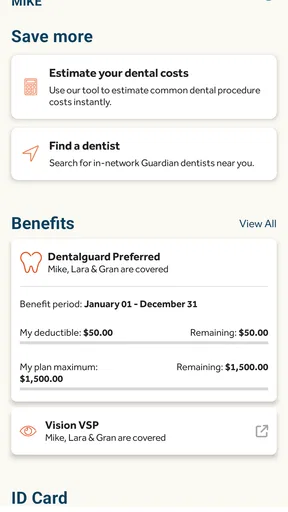
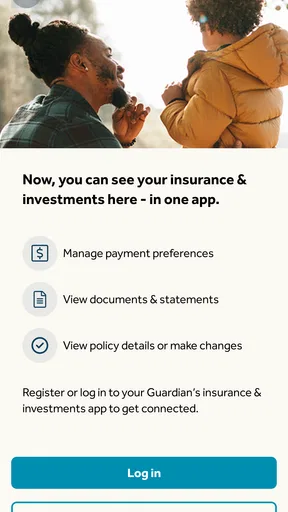
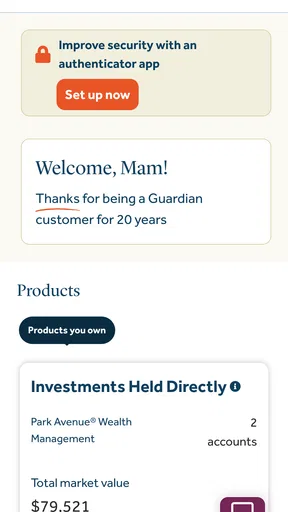
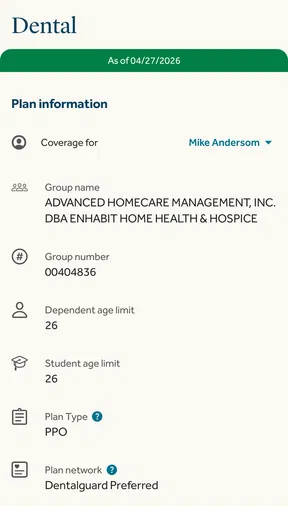
I approached Guardian as a practical mobile companion for people who already have a connection with Guardian Life Insurance Company of America and want a more convenient way to handle insurance, wealth, or benefits information. It is a free medical-category app with an Everyone age rating, but its usefulness is less about medical advice and more about bringing several parts of a person’s financial and benefits life into one place.
That distinction matters. I would not install it expecting a general health tracker, symptom checker, telemedicine service, or replacement for speaking with an insurance professional. I see it as an account-access tool: valuable when I need to check something related to my Guardian relationship, less useful when I simply want broad health information or a standalone personal finance app.
Where the everyday experience can become confusing
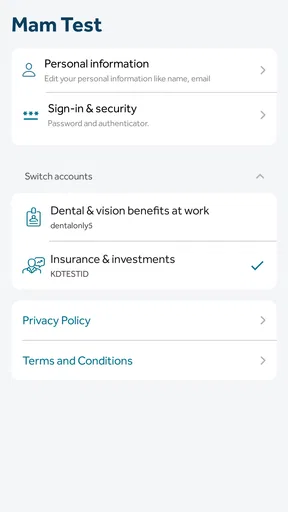
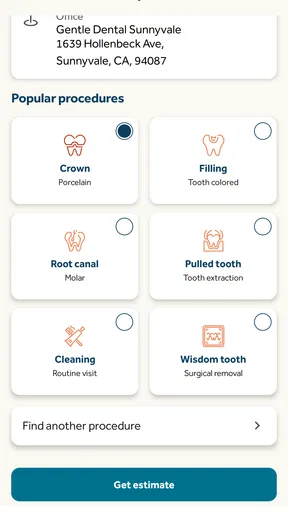
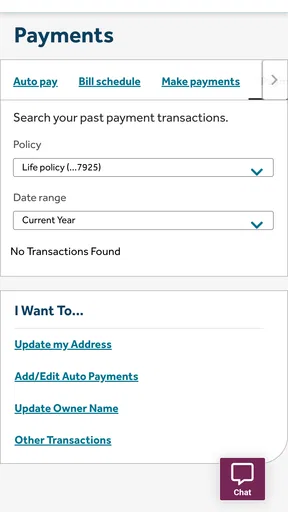
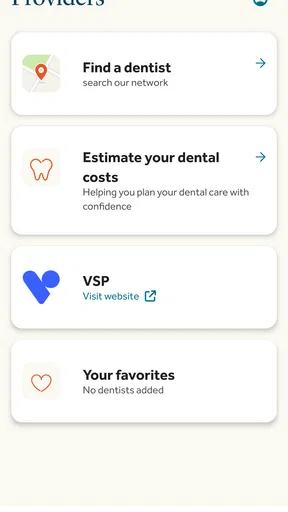
The first friction point is understanding what the app is meant to do for me. Its short store description is simply “Guardian,” while the broader summary points toward insurance, wealth, and benefits. That combination tells me the app serves several kinds of users, but it does not immediately explain which parts will be relevant after installation. Someone with employer-sponsored benefits may approach it differently from someone managing an individual insurance product or looking for wealth-related information.
I would therefore begin with a specific task rather than browsing aimlessly. For example, I might open it because I want to review a benefit, access insurance-related information, or check a wealth account. Having that goal in mind makes the first session easier to judge. If the screen presents several service areas, I can choose the one connected to my relationship with Guardian instead of assuming every option applies to me.
Another possible sticking point is account recognition. An insurance and benefits app naturally depends on knowing who I am and what services are associated with me. If I install it while expecting instant access to every Guardian product, I may feel that something is wrong when the available information is narrower than expected. In practice, the useful content should be judged against the account or benefit arrangement I actually have, not against the full range suggested by the app’s broad purpose.
The public reception is mixed rather than universally enthusiastic. The app holds an average rating of about three and a half stars from roughly two thousand ratings, with hundreds of written reviews. I read that as a reason to keep expectations realistic: the app is established enough to have a substantial user base, but the experience may depend heavily on the user’s account type, device, and the task being attempted.
I also would not treat a failed sign-in as proof that the app itself is broken. Login trouble can come from an incorrect account path, an outdated saved password, a temporary service issue, or a mismatch between the product I have and the section I selected. This is one of those apps where identifying the right route is part of using it successfully.
Why the broad scope helps and hurts
Putting insurance, wealth, and benefits access under one Guardian-branded app can save me from maintaining several unrelated tools. That is especially helpful if I deal with more than one Guardian service and want a familiar starting point on my phone. The trade-off is that a multi-purpose app can feel less direct than a single-purpose benefits portal.
For a person who only needs one occasional action, the extra categories may feel like visual noise. For a person with several Guardian relationships, the same breadth can be the main reason to keep the app installed. My advice is to evaluate it by the number of Guardian tasks I actually perform, not by how many sections appear on the first screen.
Setup checks that prevent avoidable trouble
Before I blame the app, I would make a few simple checks. The current version is 26.6, and the listed minimum operating system is 12. That makes device compatibility an important first filter. If the phone runs an older system, installation or normal operation may not be available in the expected way. If the phone does meet the requirement, I would still make sure the operating system and the app are both updated through the official app store.
I would also confirm that I am using the correct Guardian credentials and that I know which service I am trying to access. Insurance, benefits, and wealth information can be connected to different account contexts, so choosing a familiar-looking option without checking its purpose can send me in the wrong direction. A careful first read of each sign-in or account-selection screen is usually faster than repeatedly entering the same details.
My next check would be the phone itself. I would verify that the device has a dependable internet connection, then try again after switching between Wi-Fi and mobile data if the first attempt stalls. I would avoid repeatedly tapping a button that appears inactive, because that can create duplicate requests or make it harder to tell whether the original action is still processing.
If the app opens but displays incomplete information, I would first ask whether the missing item belongs to the Guardian service I actually use. A benefits user should not automatically expect to see the same information as someone with an insurance or wealth relationship. This sounds obvious, but it is a useful diagnostic step because the app’s wide scope can make every visible category look personally relevant.
Notifications and saved sign-in details also deserve a practical review. I would check the phone’s notification settings if I am expecting an alert and not seeing one, while remembering that notification behavior is not the same as account access. I would also avoid saving credentials on a shared device. For a personal phone, a device lock and sensible account security habits are more important than trying to make every login completely automatic.
One useful setup habit is to install the app before an urgent moment. I would rather learn how it behaves while calmly reviewing my available Guardian information than wait until I am standing at a clinic, completing paperwork, or trying to find a benefit detail under time pressure. That first low-pressure session can reveal whether my account is recognized and whether the app fits my needs.
A better first session
I would use the first session as a short orientation, not a deep exploration. I would identify the relevant service area, complete the sign-in process carefully, and note where the information I am likely to need is located. Then I would close and reopen the app once, because a workflow that works only during the initial session is not yet one I trust for everyday use.
I would also decide what I expect the app to replace. If the answer is “a few visits to a Guardian web portal,” it may be a good fit. If the answer is “my doctor, my pharmacy, my budget app, and all health information,” the expectations are too broad. Guardian is more convincing as a focused access point for Guardian-related services than as an all-purpose health application.
Recovering when a workflow stops halfway
When an action fails, I prefer a controlled recovery sequence. First, I would wait briefly and check whether the screen has actually finished loading. Next, I would return to the previous screen rather than repeatedly submitting the same request. If the app remains unresponsive, I would close it, reopen it, and retry once on a stable connection.
If the problem concerns sign-in, I would recheck the account identifier and password carefully instead of assuming that a second fast attempt will help. If the problem concerns information not appearing, I would revisit the service section and confirm that I am not looking in a general area for a product-specific detail. These small distinctions are more useful than treating every error as a technical failure.
I would be particularly cautious around actions connected with financial or insurance information. If a screen appears to be processing, I would avoid submitting the same request several times. I would record what I was trying to do, note any visible message, and then restart the workflow from a clean screen. That approach reduces confusion and gives me something concrete to describe if I need help from Guardian support.
Clearing app storage or reinstalling can be tempting, but I would not make it my first response. Those steps may remove local session information and require another sign-in without solving an account-side issue. A simple restart, connection check, and careful return to the correct account area are safer first actions. Reinstallation makes more sense when the app repeatedly fails to open or behaves abnormally after ordinary updates and restarts.
There is also a difference between an app problem and an account problem. If I can open the app but cannot access a particular service, the issue may relate to eligibility, account setup, or the way that Guardian product is administered. I would avoid guessing at sensitive account details and instead use the support route associated with my Guardian relationship when the app’s normal recovery steps do not resolve the issue.
Using it in a realistic situation
Imagine I am preparing for an appointment and want to review information connected with my Guardian benefits. I would open the app before leaving home, sign in using my usual method, select the benefits-related area, and locate the relevant information while I still have time to correct a login problem. If the app does not show what I expected, I would check whether I am using the correct Guardian account rather than waiting until the appointment begins.
That workflow shows the app’s practical value. It can put an existing Guardian relationship within reach when I need it, but it cannot compensate for an account that has not been established correctly or for information that belongs to another service. The best use is preparation: check the app early, confirm that the information is available, and keep an alternative way to contact Guardian for situations that require explanation or account changes.
A second useful scenario is routine financial or benefits organization. I could use one short session to review the Guardian areas relevant to me, then leave the app alone until I need it again. This is more realistic than opening it every day like a wellness tracker. Its value comes from reducing the effort of occasional account tasks, not from creating a constant stream of health activity.
When the app is not the cause
Some frustrations are created by the surrounding situation rather than by the software. A weak connection can interrupt a sign-in or delay information loading. A phone that is low on storage or running an old operating system can behave unpredictably. A browser or password manager may also fill in an old credential, making the app look responsible for a failed login.
Account ownership is another important boundary. If I am trying to access information for a family member, an employer plan, or a different Guardian product, the app may correctly limit what appears. I would not try to work around that limitation by entering someone else’s details on my device. The safer approach is to use the account arrangement intended for that person or contact Guardian through an official support channel.
I would also separate information access from professional advice. Because the app sits in a medical-related store category and deals with benefits and insurance, it may feel connected to healthcare, but I would not use it to diagnose symptoms or make urgent medical decisions. For immediate health concerns, I would use an appropriate medical service. For questions about coverage or account details, I would rely on the relevant Guardian support process.
This is where the usual alternatives may be better. A general health app is more suitable for tracking habits, symptoms, or exercise. A dedicated budgeting app is better for combining accounts from several financial providers. An employer’s benefits portal may be more direct when the information is controlled entirely through that workplace system. A mobile browser can also be preferable when I need to reach a Guardian page that is not central to the app’s normal workflow.
On the other hand, those alternatives may fragment the experience. If my main relationship is with Guardian and I want a single mobile entry point for its insurance, wealth, and benefits areas, the dedicated app has a clear advantage. I do not have to remember which unrelated tool contains which Guardian-related task. The choice is therefore about convenience and scope, not about finding one application that does everything.
Who should use it, and who should skip it
I think Guardian is best for existing Guardian customers who regularly need mobile access to insurance, wealth, or benefits information. It also makes sense for someone who prefers checking an account from a phone instead of relying on a desktop browser. The free price removes the financial barrier to trying it, and the Everyone rating makes it broadly accessible from an age-classification standpoint.
I would skip it if I do not have a relevant Guardian relationship, if I want a general-purpose medical reference, or if I need a complete financial dashboard covering many unrelated providers. I would also hesitate to depend on it as my only option for an urgent account task until I have tested my login and confirmed that the information I need is actually available through my account.
The app’s reach is reflected in more than half a million installs, which suggests that it is not a niche experiment. Still, popularity does not guarantee that every user will find the same workflow smooth. The most important variable is whether the app matches my particular Guardian service and whether I am willing to spend a few minutes understanding its account structure.
My practical verdict after weighing the trade-offs
My overall view is cautiously positive. Guardian is useful when I treat it as a mobile doorway into a Guardian relationship, not as a universal health or money-management solution. Its combination of insurance, wealth, and benefits access can be genuinely convenient, especially for people who have more than one Guardian-related task. The free model makes a trial reasonable, provided I install it on a supported device and test it before I need it urgently.
The main weakness is the potential gap between the app’s broad purpose and my specific account. A multi-service structure can make the first session less obvious, and a failed login or missing detail may require careful diagnosis before I know whether the issue is the app, the device, the connection, or the account itself. That is manageable, but it rewards patience more than quick tapping.
For me, the smartest way to use it is to prepare once, identify the correct service area, and build a simple recovery habit: check the connection, confirm the account path, restart calmly, and avoid duplicate submissions. I would keep another official contact route available for account questions that the app cannot resolve. With those expectations, Guardian is a practical companion for Guardian customers, not a replacement for every health, insurance, or finance tool.
The developer, The Guardian Life Insurance Company of America, has kept the app in circulation since its release in 2012, and the current version is 26.6. That long presence gives it a clear role, but it does not remove the need for sensible setup checks. I recommend it to people who can name the Guardian service they want to access and who value a dedicated mobile entry point. If that is not my situation, a more specialized alternative will probably feel simpler.
Privacy and Permissions
See what permissions an app requests and how it handles your data.
- Location
- approximate location (network-based), precise location (GPS and network-based)
- Photos/Media/Files
- read the contents of your USB storage
- Storage
- read the contents of your USB storage
- Camera
- take pictures and videos
- Wi-Fi connection information
- view Wi-Fi connections
- Other
- view network connections, full network access, reorder running apps, prevent device from sleeping
Verdict
Strengths of Guardian
- Clear, well-sourced reporting from a respected independent newsroom.
- Strong coverage of politics, climate, culture, and international affairs.
- Free access to many articles without requiring a subscription.
- Readable mobile layout with useful sections and topic navigation.
- Supports journalism through optional contributions and memberships.
Limitations of Guardian
- Some articles are limited by a daily free-reading meter.
- Frequent opinion and commentary pieces may not suit every reader.
- Advertising can feel intrusive on some screens.
- The app may use noticeable battery and data when sending alerts.
- Certain advanced features require a paid subscription or membership.
Similar Picks in This Category
View All
WebMD: Symptom Checker
WebMD, LLC4.1

Microphone Amplifier
DOSA Apps4.2

Anatomy Learning - 3D Anatomy
3D Medical OU4.5

Period Tracker and Calendar
SimpleInnovation4.9

GoodRx: Prescription Coupons
GoodRx4.8

CVS Health
CVS Pharmacy4.5
Frequently Asked Questions
What is Guardian and what can I use it for?
Guardian is a security and privacy-focused application designed to help users monitor and control activity on their mobile device. Depending on the version and platform, it may provide features such as protection against unwanted tracking, safer browsing, permission awareness, and privacy management. Before downloading, check the official store description because available tools can differ between Android and iOS.
Is Guardian free to download and use?
Guardian can usually be downloaded without an initial charge, but some features may require a subscription, one-time purchase, or an in-app upgrade. The free version may include basic protection while advanced monitoring, additional privacy controls, or extended functionality could be reserved for premium users. Review the pricing details and trial conditions in the relevant app store before subscribing.
Does Guardian protect my personal data and online activity?
Guardian is intended to improve privacy, but no application can guarantee complete protection from every online threat. Its effectiveness depends on the features enabled, your device settings, and the services you use. Read the privacy policy carefully to understand what information Guardian collects, how it is processed, whether diagnostics are shared, and how long data is retained.
Will Guardian affect my device performance or battery life?
Because Guardian may run monitoring, filtering, security, or background protection features, it can use some battery, memory, and network resources. On most modern devices, the impact should be manageable, although continuous monitoring may be more noticeable on older phones. If performance changes after installation, review background permissions and disable features you do not need.
Is Guardian available for both Android and iPhone?
Guardian availability and functionality depend on the operating system, region, and current app-store release. Android and iOS versions may not offer identical tools because each platform has different security restrictions and permissions. Before installing, confirm that your device meets the listed requirements and compare the store description, supported versions, subscription terms, and user reviews for your platform.
